Generate Characters
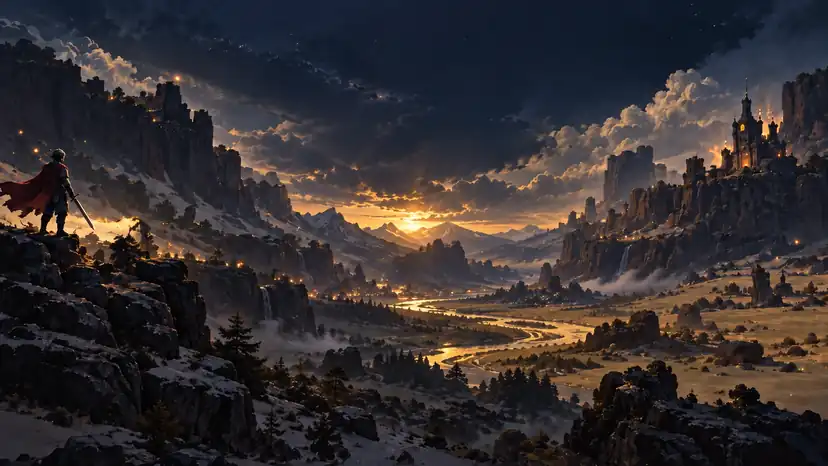
Create original 2D game characters with AI.
Create game-ready 2D characters, generate outfit variations, build multi-direction sprites, animate motion, and export sprite sheets — all in one AI Sprite Generator.
SpritePixel helps you create characters, outfit variations, directional sprites, animations, and export-ready sprite sheets from one place.
Create original 2D game characters with AI.
Keep the same character and generate new outfit variations.
Generate front, side, and back-facing character directions.
Turn characters into animated sprite actions.
Export organized sprite sheets for game development.
Use Sprite Sheet Maker and Sprite Sheet Cutter for free.
“In computer graphics, a texture atlas (also called a sprite sheet or an image sprite) is an image containing multiple smaller images, usually packed together to reduce overall file size and draw calls.”
Follow a clear game-asset workflow with one AI Sprite Generator, from the first character prompt through variations, directions, animation frames, and export.
Start with a prompt and generate 2D game characters for your project. SpritePixel helps you create a consistent character style for your game world.

Keep the same character identity and create new costume or outfit variations with the AI Sprite Generator.

Generate consistent directional views for the same character, ready for top-down or RPG-style game workflows.

Use the AI Sprite Generator to create movement or action-based frames from your character while keeping the visual style consistent.

Export your generated frames as organized sprite sheets for use in your game workflow.

Create game icons with AI, or use our free sprite sheet tools to build and manage your 2D game assets.
Generate game-ready icons for items, skills, weapons, resources, and inventory assets with AI.
Generate Game IconsCombine individual sprite frames into a clean sprite sheet directly in your browser.
Make a Sprite SheetSplit an existing sprite sheet into individual animation frames in seconds.
Cut a Sprite SheetMove from a base character to variations, animation frames, and export in three straightforward steps.
Generate a base character with the AI Sprite Generator.
Create outfit variations, directional views, or animation frames.
Export your sprite assets and use them in your workflow.
Create assets faster, keep a consistent visual style, and reduce repetitive sprite work across small game projects.
Build a consistent character and asset direction without a large art team.
Create directional characters, variations, animation frames, and game-ready sheets.
Explore characters and motion quickly while keeping the visual language coherent.
Move from idea to usable sprite assets with less manual production work.
Credits are used for AI generation features. Sprite Sheet Maker and Sprite Sheet Cutter remain free to use in your browser.
Includes
Includes
Includes
Answers about character variations, directional sprites, animation frames, exports, credits, and usage rights.
SpritePixel can create original 2D characters, outfit variations, directional character views, animation frames, export-ready sprite sheets, and matching game icon sets. The available controls depend on the asset workflow you choose.
Yes. Start from the same base character or reference and create costume variations for skins, classes, or NPC versions while preserving the character's core identity as closely as the generation allows.
Yes. You can create consistent directional views of a character for RPG and top-down workflows, including front, side, and back-facing outputs according to the selected direction settings.
Yes. The AI Sprite Generator can create movement or action-based frame sequences from a character. You can preview the result and continue to the animation editor before downloading.
Yes. Generated frames can be organized and downloaded as sprite sheets or frame sequences for use in your development workflow. Downloads and exports do not consume generation credits.
Yes. Both tools run in the browser and can be used without generation credits. The AI Game Icon Generator is an AI-powered generation feature and uses credits.
SpritePixel is designed for indie developers, 2D game creators, RPG and top-down projects, prototype teams, and game jam creators who need usable assets without a large art pipeline.
Yes, subject to the SpritePixel Terms and the rights of any reference material you upload. You are responsible for ensuring that your prompts and uploaded assets do not infringe third-party rights.
Create a character, add variations or animation, and export a sprite sheet for your next 2D game project.